Ubisoft Connect - Account Information

Steps on how to locate your games list and keys within the Ubisoft Connect Client can be found below. Our Customer Service team may ask you for this information, please provide the information as is without any alteration to the image.
Step 1:
Launch and login to the Ubisoft Connect client.
Step 2:
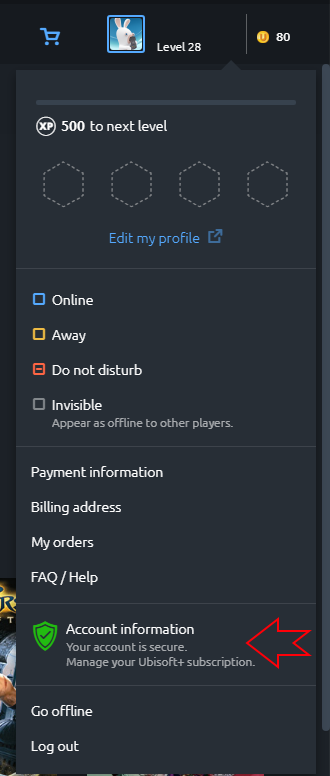
In the top right-hand corner click on your username and a drop-down will appear, select "Account information".
Step 3:
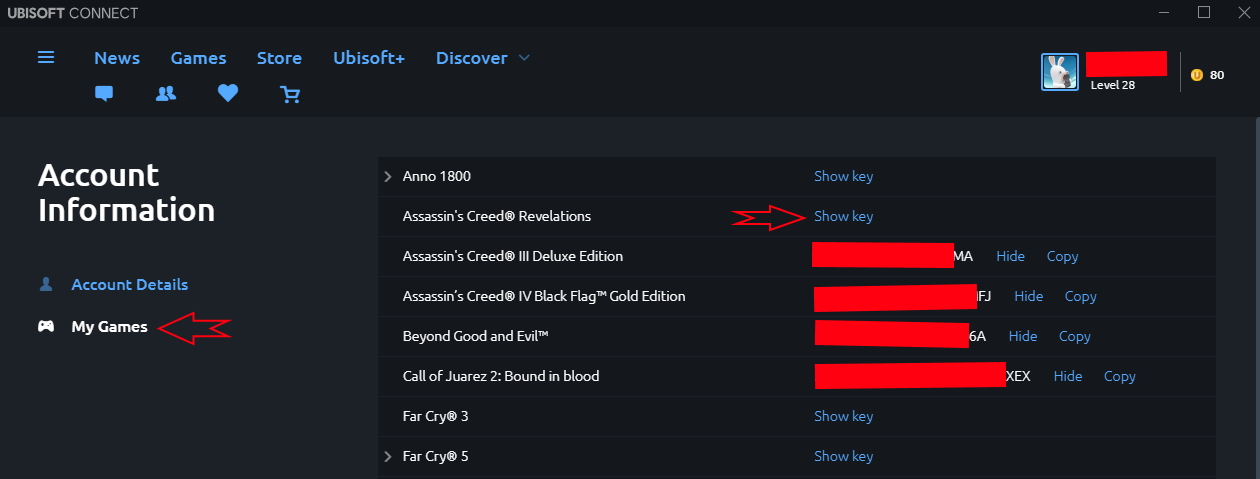
Select my games on the left hand side.
Step 4:
Take a screenshot of the game in question (if there is a specific game in question) with the Ubisoft PC key shown.